 Canon5Dtips Photography is more than words.

DISCLAIMER: these parameters were not discovered by me, I found them somewhere on the net and never wrote the URL. I will update the post if I ever find the URL again and give due credits.
Here is a quick tip on how to achieve a cross process look in Aperture without buying an expensive plugin (I am looking at your Silver Fx!).
What is cross processing? Because a picture is worth a thousand word, here are the before and after images.
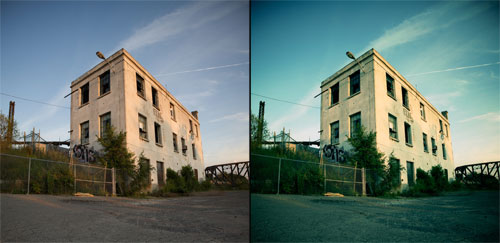
Neat hein?
The result is very easy to achieve in Aperture. To do so, in the Level panel,
- select the Red channel and set the 3 values (B,G,W) to : 0,21, 0,53 and 0,92
- select the Green channel and set the 3 values (B,G,W) to : 0, 0,42 and 1
- select the Blue channel and set the 3 values (B,G,W) to : 0, 0,44 and 0,94
You can then save this as a preset for later use by clicking on the little gear on the top right of the panel and clicking on save.
Now, just dont over use this technique because it can grow old very quickly, like over cooked HDR… Oh and it tends to destroy skin color too so be careful!